Why Choose a Display Screen Monitor for Your Business?
Choosing a Display Screen Monitor for your business involves more than comparing screen size and price. It affects how employees read data, review designs, serve customers, and collaborate throughout the workday. A well-selected monitor can provide sharp text, consistent colors, suitable brightness, and comfortable viewing during long shifts.
Details matter.
For example, an accounting team may benefit from a high-resolution display that shows multiple spreadsheets without constant scrolling. A design studio may require reliable color reproduction and factory calibration. A reception area might need strong brightness, simple controls, and durable construction for continuous public use. These needs should guide the purchase more than attractive specifications alone.
Professional experience also shows that compatibility is essential. Check available ports, operating-system support, mounting options, and desk dimensions before ordering. Confirm warranty coverage, energy ratings, and the supplier’s service record. Independent testing can support claims about response time, brightness, and color accuracy, although laboratory results may not reflect every workplace.
There is no perfect Display Screen Monitor for every company. A premium model may offer impressive performance but waste budget in a basic office. A lower-cost screen may appear practical, yet poor ergonomics can increase discomfort and reduce productivity. Businesses should test sample units when possible, collect employee feedback, and review performance after installation. That evaluation may reveal overlooked problems, such as glare near windows or difficult on-screen menus. The best choice is practical, measurable, and suitable for real working conditions.
What Is a Display Screen Monitor?
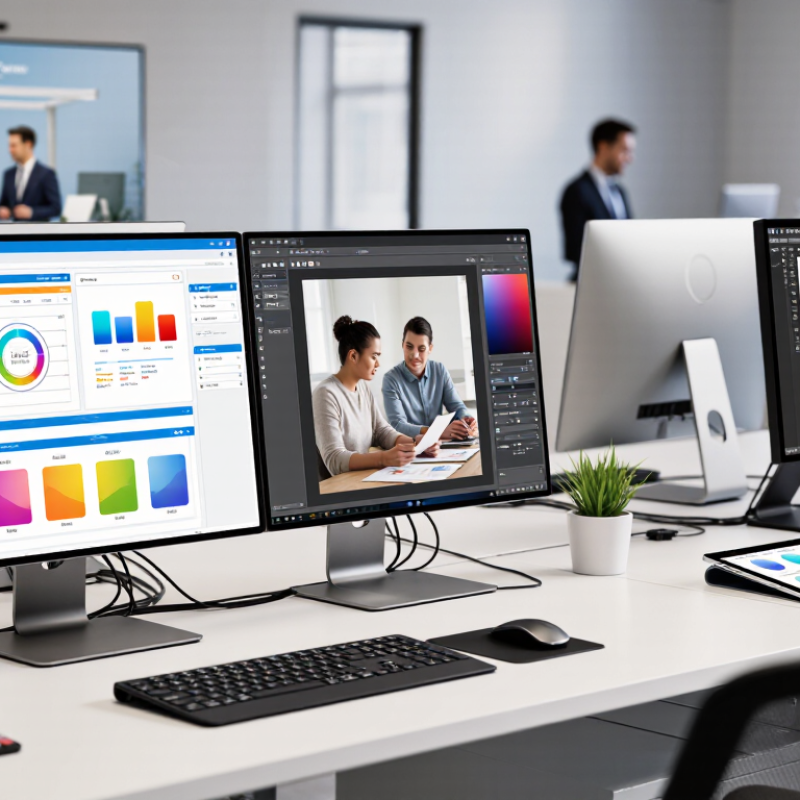
A display screen monitor is an electronic device that presents text, images, charts, and video. It receives visual signals from a computer, camera, or other equipment. The screen is only one part. Internal components include a display panel, backlight, controller, ports, and a supporting stand. Together, they convert digital information into visible content for daily business tasks.
In a business setting, a monitor may support document editing, customer service, design work, data analysis, or video meetings. Screen size, resolution, brightness, color accuracy, and refresh rate affect the user’s experience. A larger screen can show more columns without constant scrolling. Higher resolution can make small text sharper. However, specifications can be misunderstood. A bright screen is not always comfortable.
Practical evaluation should include viewing distance, desk space, glare, and adjustment range. During workplace checks, reflections from windows often cause more trouble than expected. Adjustable height and tilt can reduce awkward neck positions. Ports also matter when employees connect laptops or additional devices. A technically impressive monitor may still feel unsuitable after several hours. That matters. Reliability depends on stable performance, clear controls, suitable warranty terms, and careful testing in the actual work environment. My assessment would not rely on a product sheet alone.
How Display Screen Monitors Support Business Operations
In daily business operations, a display screen monitor turns scattered information into a visible working surface. Teams can track orders, inventory levels, service queues, and delivery times without opening several devices. In a warehouse, a large screen can show picking priorities beside the dispatch area. Staff see changes immediately. This reduces repeated questions and helps supervisors respond to delays. It is not magic. Poorly organized data still creates confusion.
A well-planned display also supports meetings, training, and customer communication. Clear charts help managers compare performance using consistent figures. Screen sharing allows remote and on-site employees to review procedures together. In customer areas, carefully selected information can explain wait times or next steps. I have found that readable text matters more than impressive animation. High brightness helps in sunlit rooms, while adjustable settings reduce glare during long shifts.
Reliable operation requires practical controls. Businesses should define who updates content, how often figures refresh, and what happens when the network fails. Test the screen from normal viewing distances, not only from a desk. Check ports, mounting safety, energy use, and cleaning instructions. Accessibility also deserves attention, including strong contrast and captions for video. Some teams install screens before confirming workflow needs. That mistake can waste money. A short trial with real users often reveals missing metrics, awkward viewing angles, or alerts that appear too late.
Why Choose a Display Screen Monitor for Your Business?
Display screen monitors support business operations by providing more workspace for dashboards, documents, communication tools, and data applications. The chart compares common display formats by native pixel capacity, calculated from their standard horizontal and vertical resolutions.
Pixel capacity is calculated as horizontal resolution × vertical resolution. Higher pixel capacity can support more detailed content and simultaneous on-screen workflows.
Key Features to Evaluate Before Choosing a Monitor
Why Choose a Display Screen Monitor for Your Business?
A display screen monitor can improve daily work, customer communication, and visual accuracy. The right model depends on the tasks performed, not only on screen size. Office teams may need sharp text, comfortable brightness, and adjustable height. Design or data teams often require accurate colors and stable viewing angles. In a busy workspace, a flicker-free display can reduce eye strain during long sessions. Check the panel quality in person when possible. Specifications help, but real viewing conditions can reveal weaknesses.
Tips: Compare resolution, brightness, contrast, refresh rate, and color coverage. A 24-inch screen may suit a compact desk, while a larger workspace can support two displays. Check available ports, including modern video connections and USB access. Confirm that the stand allows height, tilt, and rotation adjustments. Small details matter.
Reliability deserves careful attention. Review the monitor’s warranty terms, energy use, construction quality, and service support. A low purchase price may become expensive if the display fails during an important project. Test text at normal working distance, not with your face close to the panel. Also consider glare from windows and overhead lighting. Some choices look excellent on paper but feel tiring after several hours. That is worth admitting. A monitor should support consistent work, not create another problem.
How to Match Monitor Types to Different Business Needs
Why Choose a Display Screen Monitor for Your Business?
How to Match Monitor Types to Different Business Needs
Choosing a display screen monitor starts with the work, not the sales specifications. In a busy office, a 24- to 27-inch IPS monitor provides clear text and wide viewing angles. Height adjustment matters when employees read spreadsheets for hours. A low-glare screen also helps near windows. Keep connections simple. HDMI or DisplayPort support can prevent avoidable setup problems. Measure the desk first.
For design teams, color accuracy and consistent brightness deserve priority. Higher resolution can reveal fine details, but it also demands stronger computers. This trade-off is often missed during purchasing.
For finance teams, sharp text and a multi-monitor layout may improve daily comparisons. However, narrow bezels cannot fix poor ergonomics. Place the main screen directly in front of the user. Keep the top edge near eye level.
Retail counters and reception areas need durable screens, easy cleaning, and stable operation. Control rooms require dependable cooling, comfortable brightness, and clear status visibility. Touch displays suit forms, kiosks, and shared check-in points, but gloves may reduce responsiveness. Test the exact workflow before ordering. I have seen teams choose impressive screens that staff barely use. A pilot with real documents, lighting, and cables exposes mistakes early. Budget for stands and maintenance, not only panels.
Practical Factors Affecting Cost, Installation, and Maintenance
A display screen monitor can improve communication, but its business value depends on practical planning. AVIXA’s 2024 Industry Outlook and Trends Analysis estimated the professional audiovisual market at about $306 billion in 2023. That scale reflects strong demand, but it also exposes a common mistake: buying hardware before checking the site.
Installation costs extend beyond the screen itself. Measure wall strength, viewing distance, ambient light, and cable routes. A bright lobby may require higher output, increasing energy use. Ceiling height can also require lifts, permits, or specialist labor. Include network equipment and content management in the budget. They are easy to overlook. In a small office, a single power socket may sit behind furniture, forcing expensive rewiring.
Maintenance deserves equal attention. Keep ventilation openings clear. Dust can raise internal temperatures and shorten component life. Schedule cleaning and connection checks every three to six months, depending on traffic and air quality. ENERGY STAR display requirements emphasize power management and reduced off-mode consumption, which can lower avoidable operating costs. The U.S. Department of Energy also reports that efficient lighting technologies can use substantially less electricity and last much longer than older alternatives; similar efficiency thinking should guide screen selection.
A useful calculation includes purchase, installation, electricity, support, and replacement costs. The cheapest quotation can be misleading. I have seen projects fail because brightness was chosen by appearance, not measured conditions. A pilot installation is slower, but often wiser. Even then, assumptions should be reviewed after the first month.